Shopify + QuickBooks reconciliation
Find out why Shopify and QuickBooks don’t match
Compare Shopify payouts and transactions with QuickBooks, identify discrepancies line by line, and close the books with confidence.
Built for Shopify merchants, bookkeepers, and finance teams.
The connector is only the first step
Why Shopify payouts and QuickBooks deposits don’t match
A connector can move data without showing how every payout was assembled. When the total is off, your team is left searching through separate reports to find the transaction that caused it.
01
Fees and refunds are missing
Processing fees, refunds, chargebacks, or adjustments may be posted separately—or not at all.
02
Transactions are duplicated
Retries and connector behavior can leave duplicate or unmatched records that distort the total
03
Dates fall into different periods
The Shopify activity date, payout date, and QuickBooks posting date do not always line up.
04
Month-end becomes detective work
Your finance team spends hours switching between reports and spreadsheets to explain one variance
More visibility after the sync
Your connector moves the data. Scalingwise explains the difference.
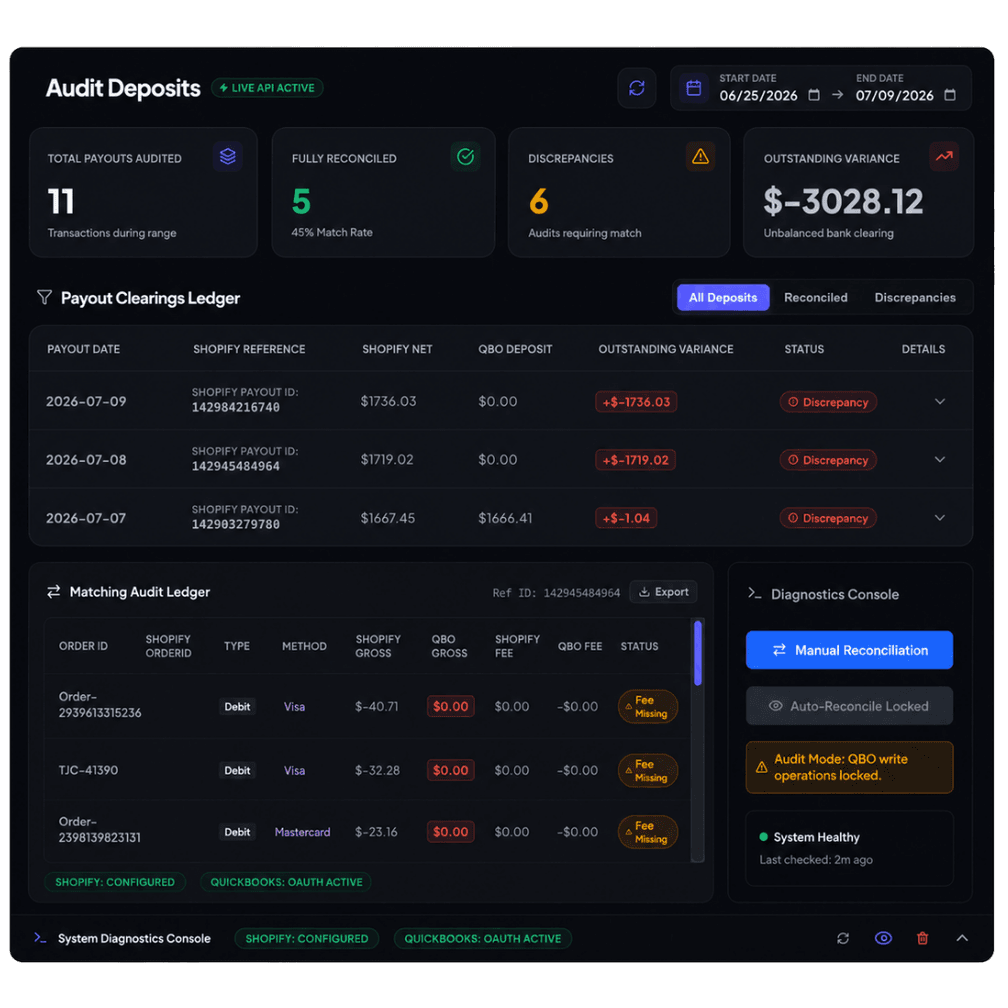
Keep the integration you use. Scalingwise adds a clear reconciliation view across Shopify payouts, transactions, fees, refunds, and QuickBooks deposits.
- Compare payout totals against deposit activity
- Match Shopify and QuickBooks records line by line
- Surface missing, duplicate, and mismatched items
- See which transactions need review
How it works
From disconnected reports to one clear answer
Review the period you care about and focus only on the records that need attention.
1
Connect the data
Bring in Shopify and QuickBooks data for the period you want to review
2
Compare both sides
Analyze payouts, transactions, fees, refunds, adjustments, and deposits.
3
Resolve the exceptions
Reconcile manually or automatically where supported, with every variance visible.
Straightforward pricing
Choose a plan based on transaction volume
Every plan includes setup and ongoing access to your reconciliation workflow.
| Transactions / month | Setup | Monthly fee |
| Up to 500 | $500 | $99 |
| Up to 1,000 | $1,000 | $199 |
| Up to 5,000 | $1,500 | $299 |
| Up to 10,000 | $2,000 | $499 |
More than 10,000 transactions?
Contact us for custom pricing and a walkthrough of your Shopify–QuickBooks workflow.
Frequently asked questions
Everything you need to know to get started.
Yes. Shopify and QuickBooks can be connected so orders and accounting data sync between platforms. The challenge is that a successful sync does not always explain why Shopify payouts, QuickBooks deposits, fees, or refunds differ.
Common causes include processing fees, refunds, chargebacks, adjustments, duplicate entries, missing transactions, and timing differences between the two systems. ScalingWise helps isolate the records behind the variance.
Scalingwise is designed to help you understand and reconcile the data produced by your integration. It compares Shopify and QuickBooks records so you can see what matched, what did not, and what needs review.
Scalingwise supports manual reconciliation and automatic reconciliation where supported. Exceptions stay visible so your team can review them instead of searching through spreadsheets.
It is designed for Shopify merchants, bookkeepers, accountants, and finance teams that need a faster way to verify Shopify payouts against QuickBooks activity.
Ready to trust your numbers?
See exactly what happened between Shopify and QuickBooks.
Bring one payout that doesn’t match. We’ll show you how ScalingWise helps find the difference.
Share a few details and a Scalingwise consultant will follow up.